
Thoughts · Natural Frequencies
Your home screen is a doorway
You pick up your phone to do something specific, like check the time, send a message, look up an address. You unlock it. And suddenly you’re in a different space.
Psychologists call it the Doorway Effect. When you move between rooms, crossing a threshold acts as an event boundary, and the brain separates episodes of activity and files them away, making it harder to remember what you intended to do when you were in the previous space. You walk into the kitchen and forget why you’re there.
The same thing happens in digital environments. Opening a new tab, switching windows, unlocking your phone — your brain treats each one as a new room. The thought you walked in with gets archived.
Your home screen is a doorway. And as it turns out, they’re designed to make sure you never remember what you came for.
I Realized I Had an Instagram Problem
Western Gallery, my online-first western art gallery, started on Instagram. It’s where I discovered artists and met collectors, and in the beginning, it was the primary way I drove traffic to the gallery. So the app earned its spot on my home screen honestly. For a while it was a great tool.
But then it wasn’t, and I’d lose ninety minutes, two hours, scrolling through a feed that had stopped serving the gallery and was just serving itself. I started noticing I was opening it without deciding to. I’d unlock my phone for one reason and find myself in Instagram with no memory of how I got there. When I checked my screen time, the stats got my attention, and I decided I needed to do something.
I’d heard people say they deleted apps they were using too much. I respect that move, but I still needed Instagram for the gallery. So I tried something smaller. I hid it. Not gone — just a speed bump between me and my habit.
Why Hiding the App Worked: Choice Architecture
It made a big difference. The reason it works is due to something called choice architecture — the idea that how options are presented influences our choices, often before we’ve consciously decided anything. There aren’t fewer choices, but the environment is designed so the default serves you.
Laszlo Bock used this at Google. His team wanted employees to eat healthier without mandating anything, so they put the candy in opaque containers and the fruit in glass ones. Same options. Different environment. The candy required wanting it a little more deliberately. Behavior changed.
That’s what I’d done to Instagram. Same app. Different room.
Two More Changes: Grayscale and Necessary Friction
After that worked, I went further. Two more changes, both based on the same principle.
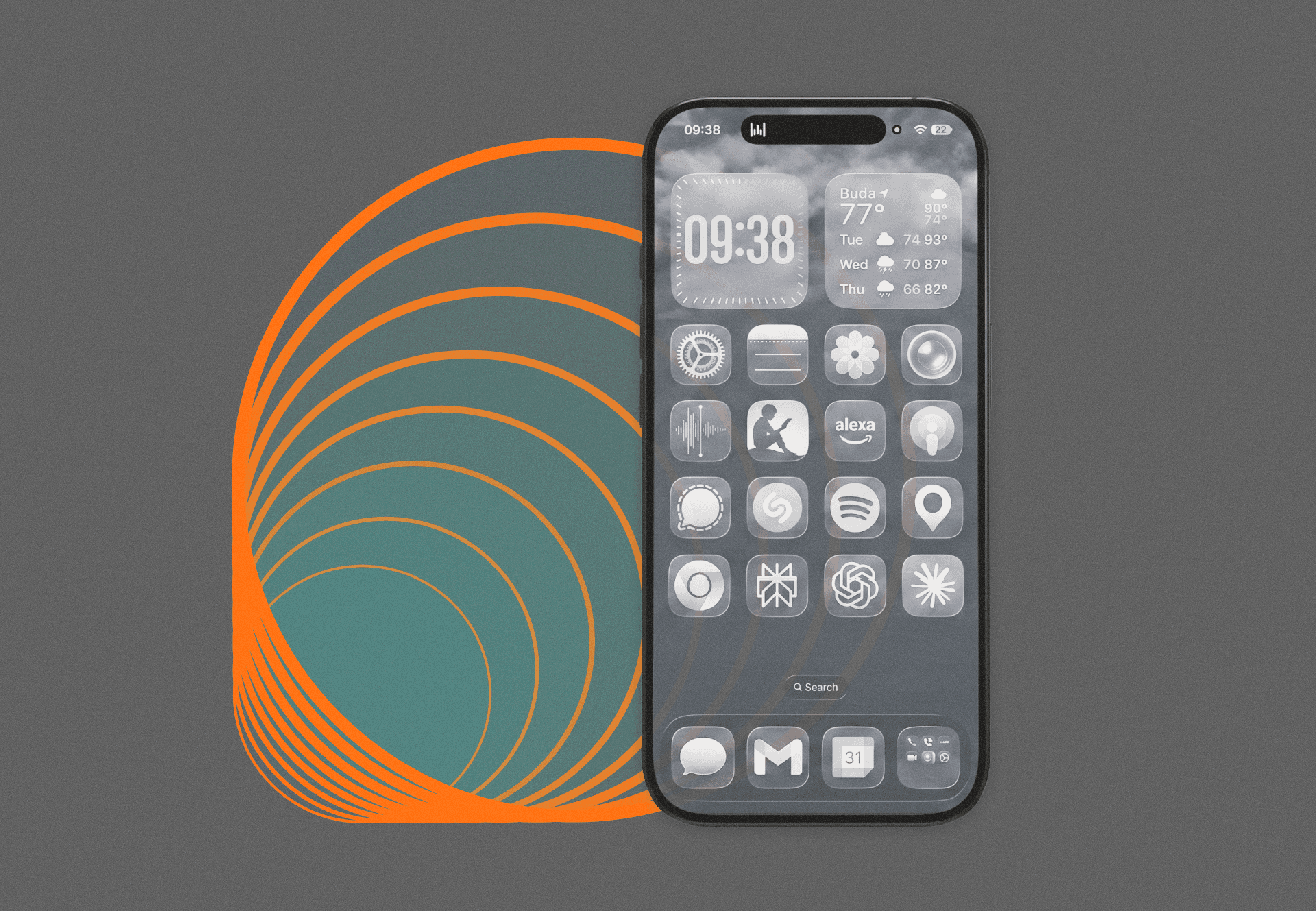
First: grayscale. None of the icons or widgets on my home screen are colored. Brand designers use gratifying, saturated color deliberately — the red notification badge, the blue of Facebook, Instagram’s gradient — and all of it is A/B tested to keep you looking. A 2024 University of Amsterdam study found that switching to grayscale alone cut participants’ daily screen time by about twenty minutes. Not because they tried harder. Because the environment stopped working against them.
A gray phone is closer to being just a tool. A color phone is a Vegas Strip-style experience designed by people whose incentives are not the same as mine.
Second: I hid everything I don’t use consistently behind Search. Doing this creates something UX designers call necessary friction — a deliberate obstacle at a decision point, not to block action, but to interrupt autopilot long enough for a real choice to happen. One extra step. One small pause that’s just enough to ask: do I actually need this right now?
Most of the time, the answer is no.
You’re Allowed to Redesign It
The apps I’m most likely to waste time on aren’t gone. They’re in the opaque container. I can get to them. I just have to want to.
These little changes save me hours of wasted time each week. Not discipline. Architecture.
Your home screen is a doorway. You’re allowed to redesign it.
How this was made
| Layer | George | AI |
|---|---|---|
| Concept | 92 | 8 |
| Direction | 88 | 12 |
| Research | 80 | 20 |
| Structure | 55 | 45 |
| Voice | 75 | 25 |
| Wording | 35 | 65 |
| Authorship | 84 | 16 |
- Foundation reliance
- 60 → −18% applied to AI
- Foundation used
- voice + style rules, project context
- Confidence
- Low
How the score works: Who wrote this, really?
Get on the list
Get Natural Frequencies delivered to your inbox directly. Unsubscribe anytime.
What are you working on?
Let’s chat about what you’re making and where you need support. If I can help, we’ll chat about how. If I’m not a good fit, I’ll let you know.
15 minutes to see if we’re a fit.